Summary
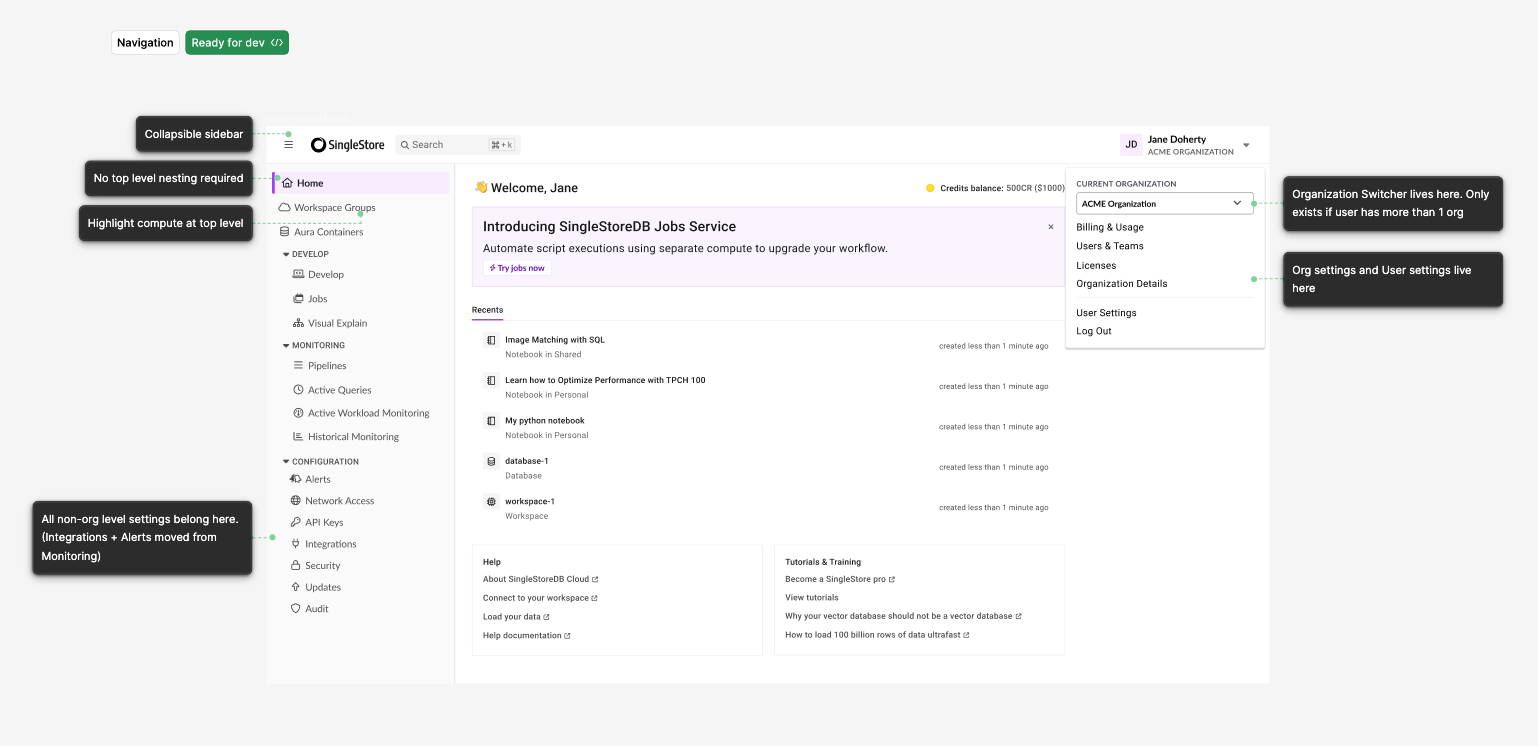
Part of the growing pains that comes with a startup is the inevitable need to review the information architecture. An interface that works well when you only have 5 features, works a lot less well when you've got 15 features. I refreshed our information architecture to better align to our customers' mental models and scale with our growing feature set and took the opportunity to add quality-of-life improvements as well. We did a staged rollout, starting with an opt-in for existing customers and a default onto the new navigation for new customers. After 60 days, we saw an adoption of 20% of customers showing a preference for the new scheme. We defaulted all users to roll onto the new UI and after 30 day mark saw over 90% of customers using the new navigation.
Design Details
One interface, two personas
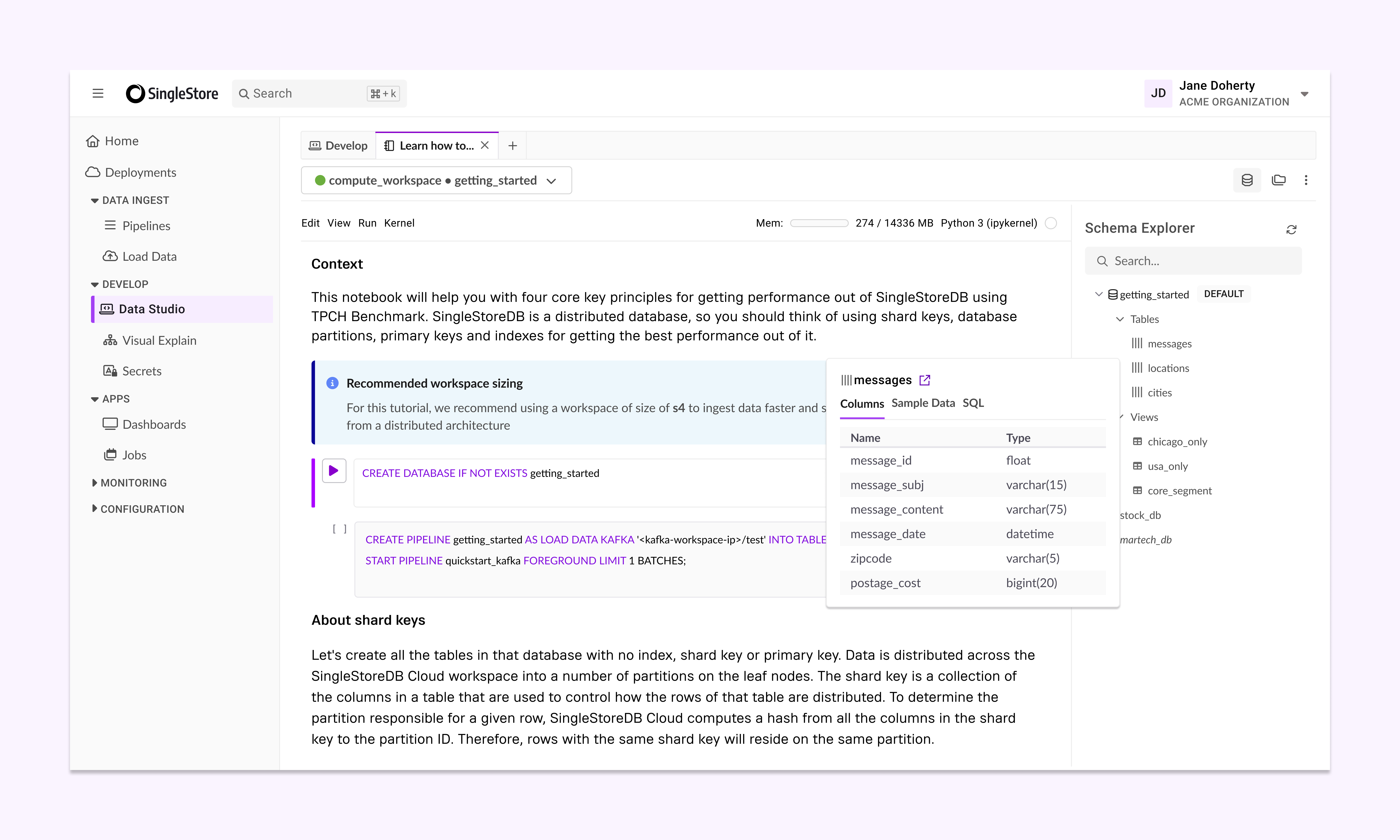
As our product strategy shifted to attract more developers, we had core personas, Admins and Devs, that had drastically different priorities in the application. I identified their key workflows and designed the interface to fork appropriately based on their jobs-to-be-done. Settings and configurations were placed near each other while developers were able to easily access query and table details while writing sql queries.
Provide hierarchy clues when switching context
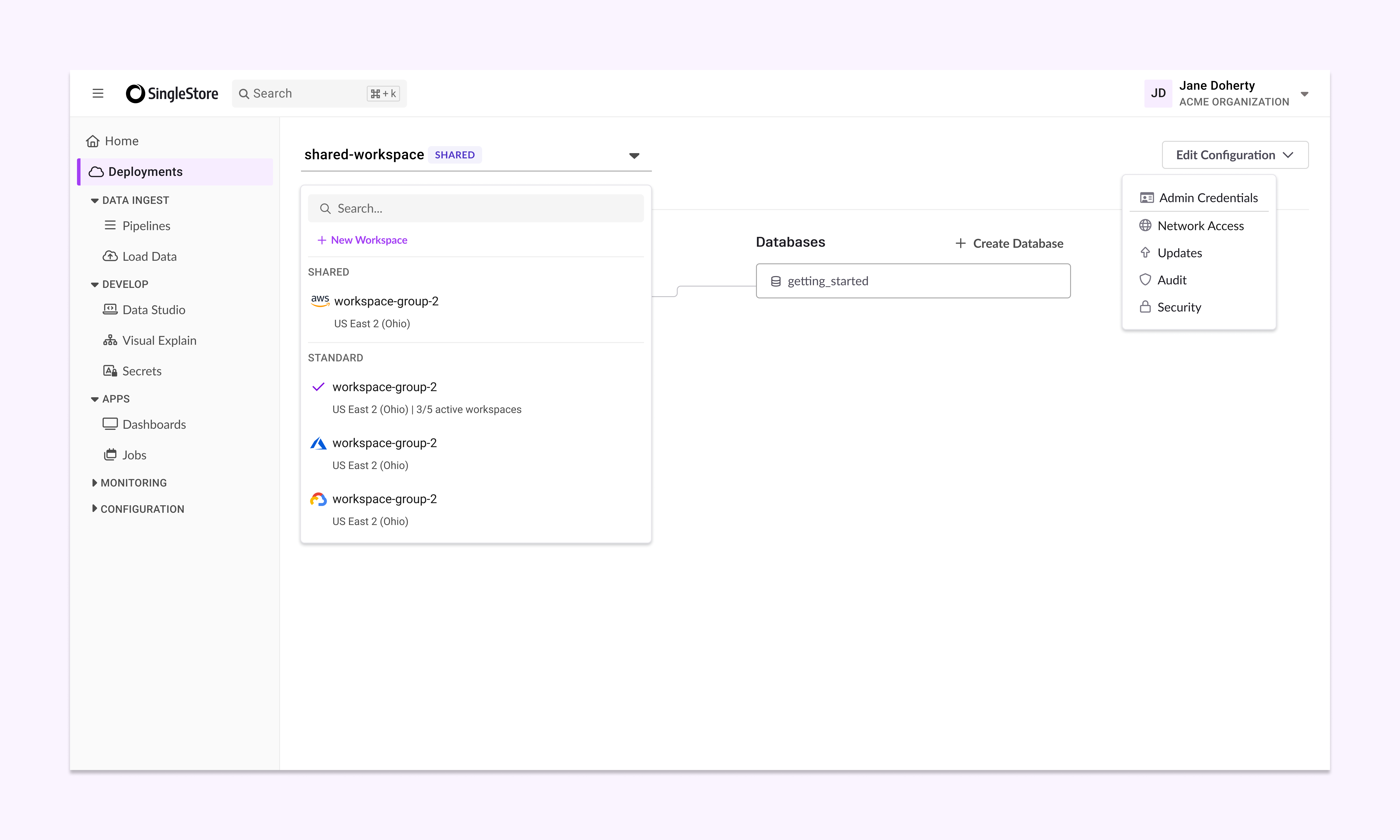
Depending on what a user was interacting with, they could be touching a single datebase, or a workspace connected to many databases, up to a project containing many workspace groups. I reorganized the information architecture to reflect the underlying hierarchy. Global search and navigation also provided a quick way for users to get where they needed to be.
Create patterns for scaling usage
Our users often started with one database on our most basic tier. We needed an interface that felt smooth for one database and seamlessly transitioned when they upgraded to dozens of databases and unlocked enterprise-level features. At any given time, users are focused on one workspace group, reducing visual clutter and page load times. I created a pattern to guide where new features should be placed and criteria that needed to be met before a feature gets top billing in the navigation.