Summary
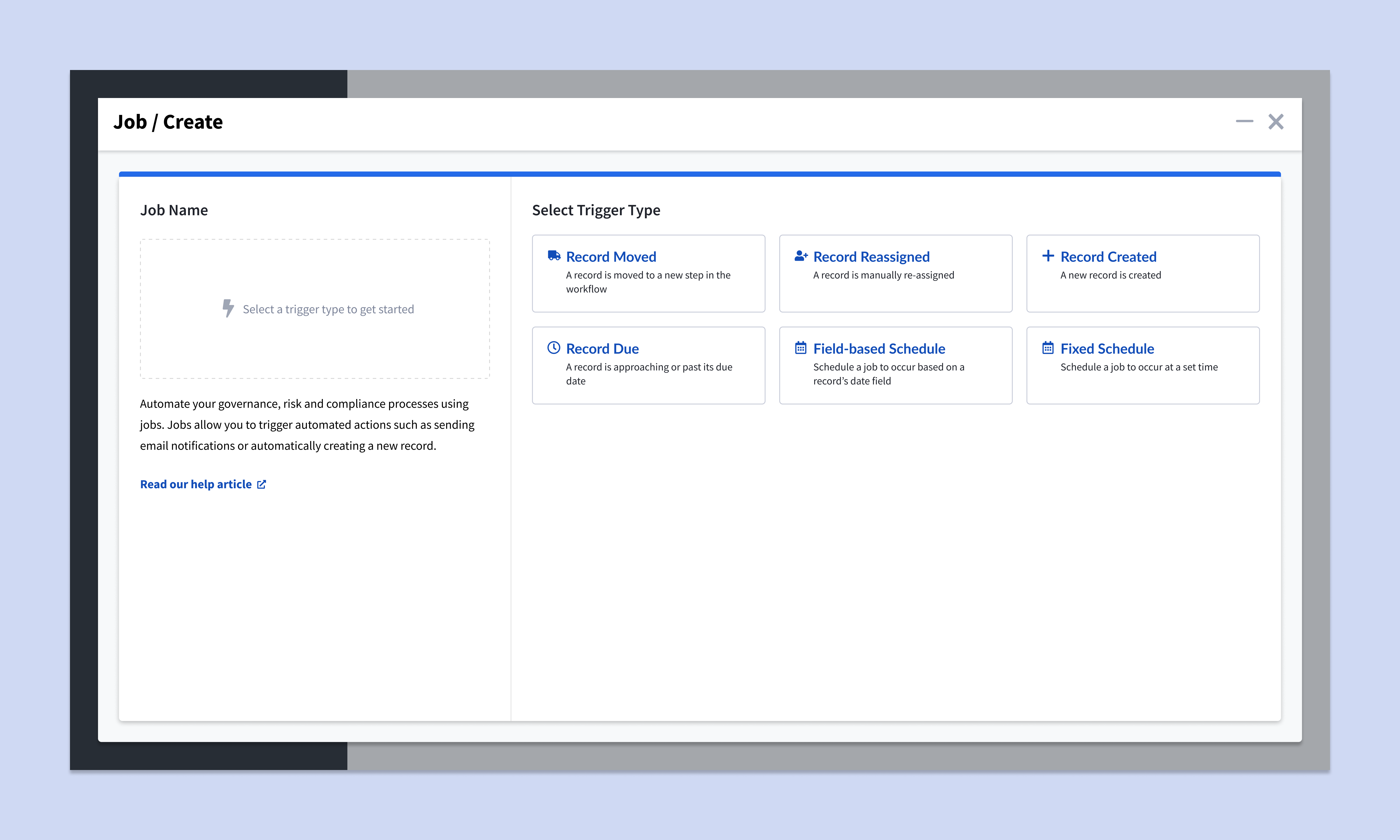
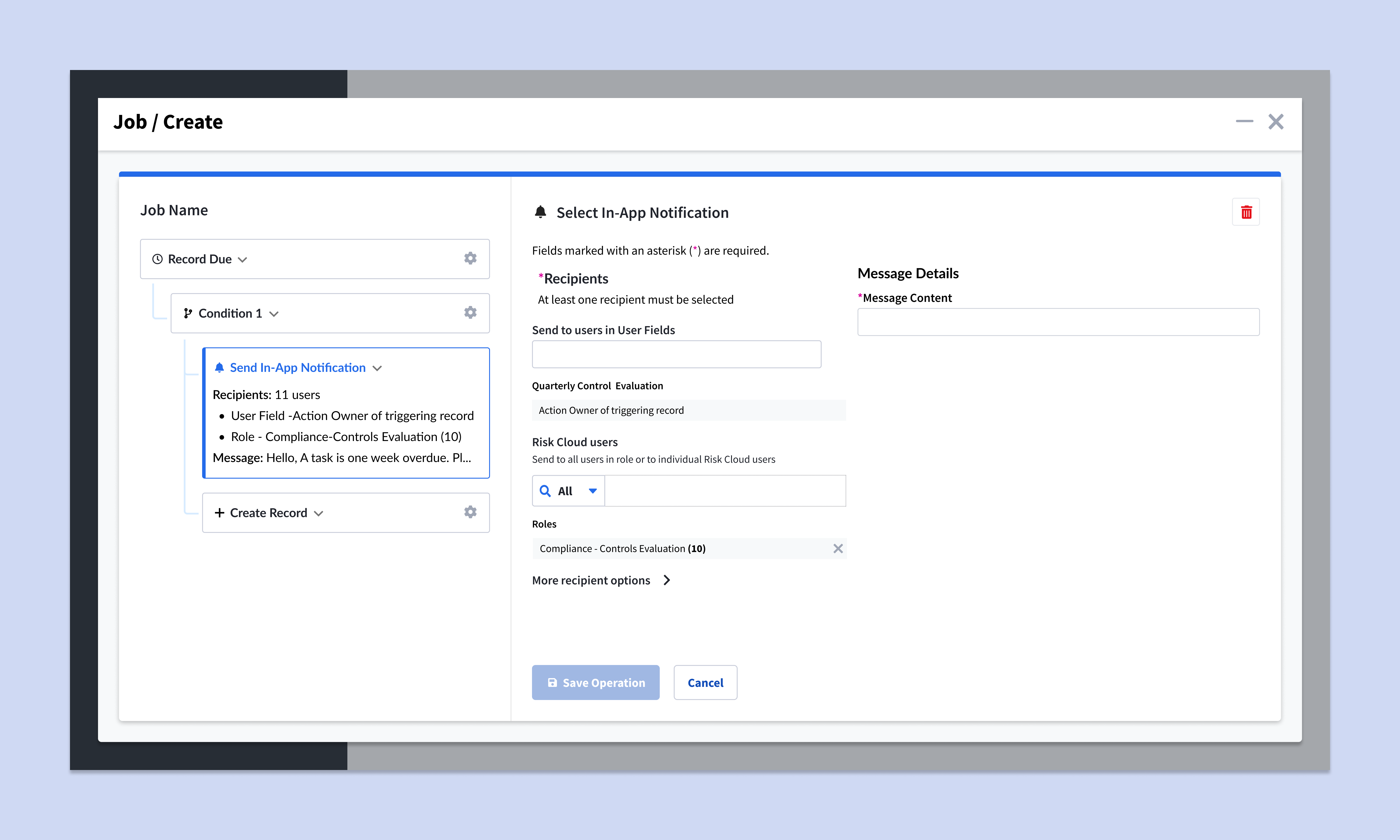
Automations allowed our users to create custom automated jobs for simplifying their workflow from sending slack notifications to triggering reports. However, the complexity of the feature meant that our support staff spent many hours troubleshooting and a lack of visibility into how jobs worked caused distrust and hesitancy to adopt further jobs-related features.
Key Insights
Shared understanding comes from shared terminology
Misunderstandings due to terminology made automations even more confusing than it already was. From the definition of what was considered a day, to what is considered a failed job, we lacked a consensus, even internally on what the correct answer was. After creating an internal glossary with clarified definitions, I was able to add error text, help text and introduce new terms that were more precise and matched our users' language comprehension.
Automation requires good audits
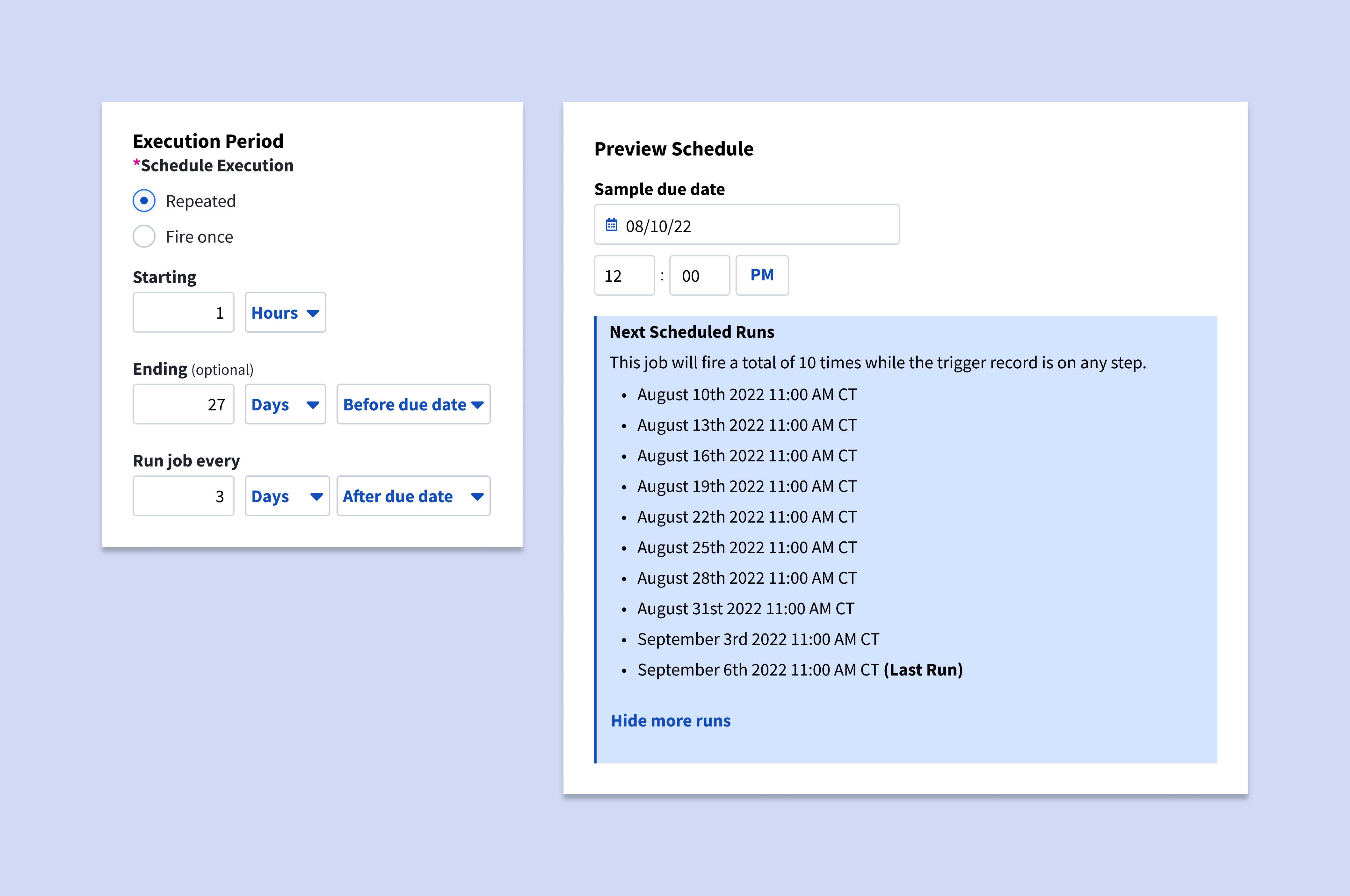
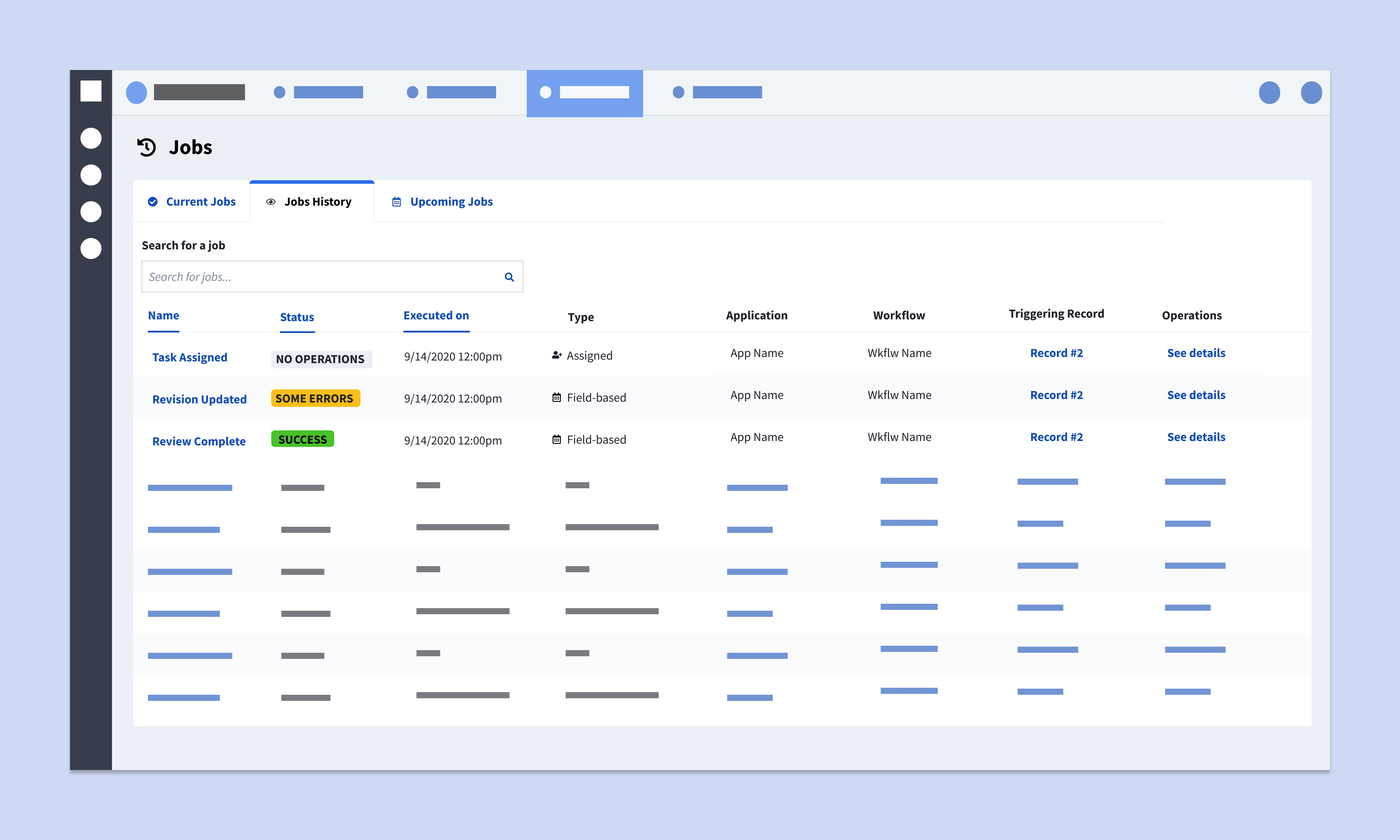
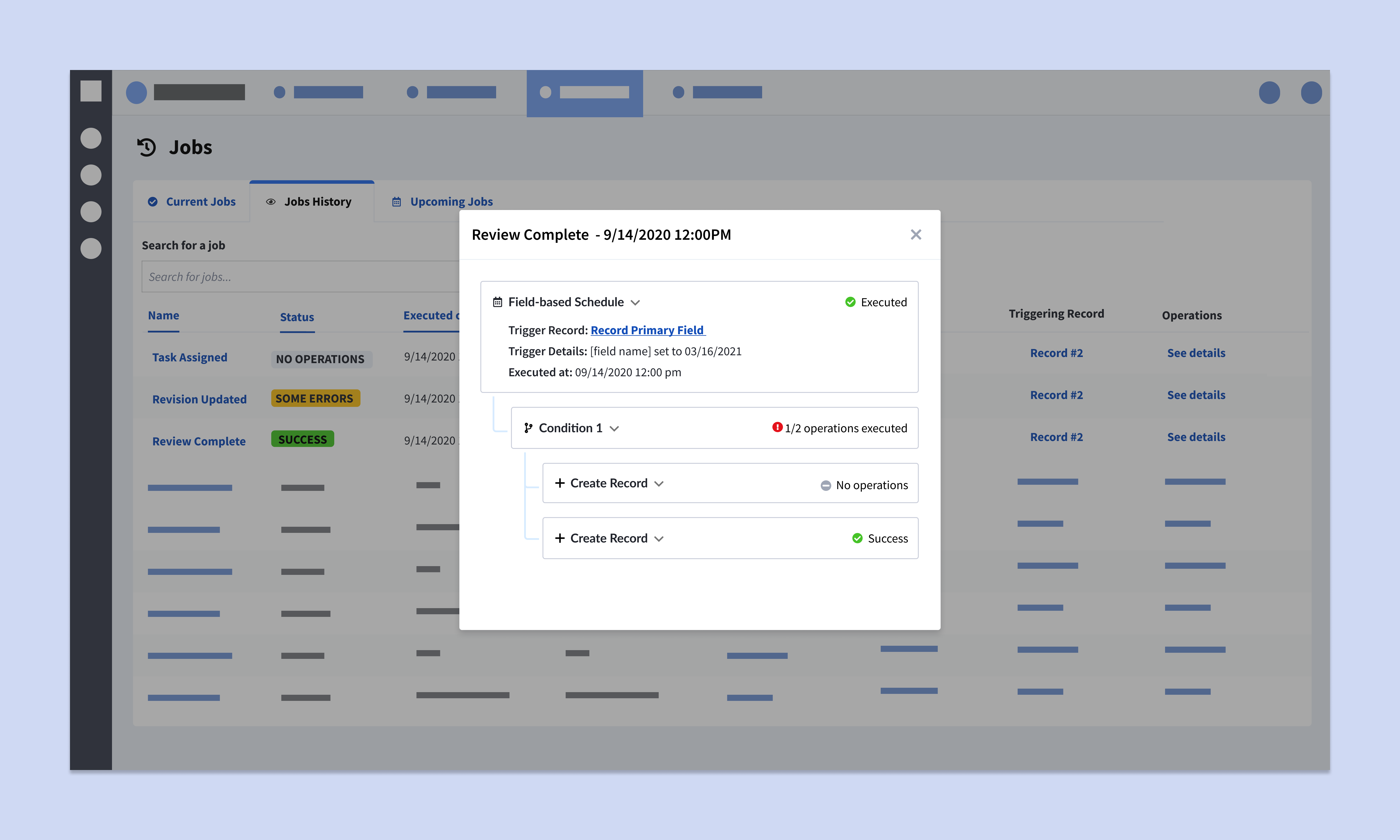
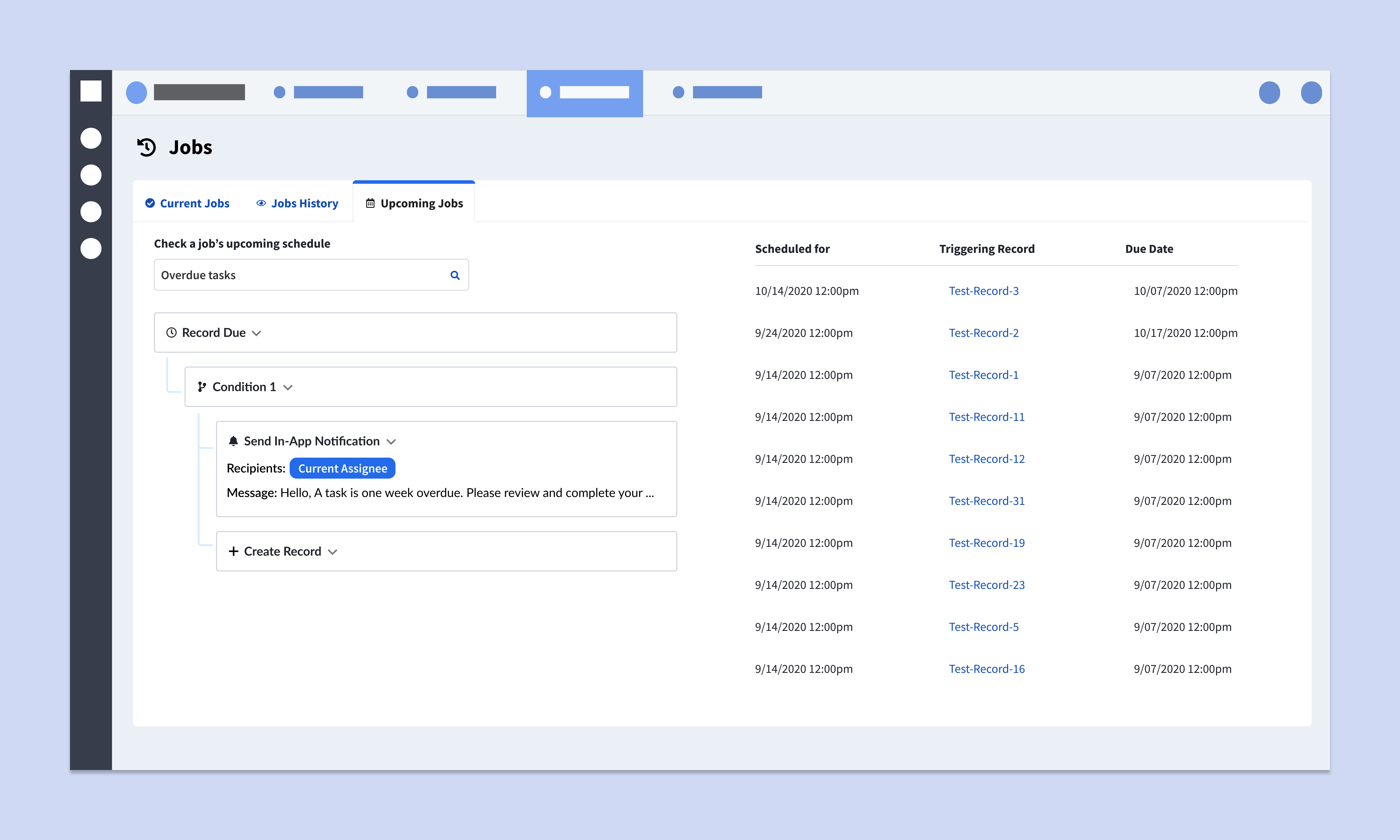
When it comes to GRC software, trust is the golden currency. Users were interested in offloading their workload to automations but needed a strong paper trail and clear visibility to trust their processes were being followed. By adding preview testing capabilities and a log of jobs fired with alerts for failed jobs, users could validate automated behavior and investigate any unexpected failures.
Power users can build anything from basic building blocks
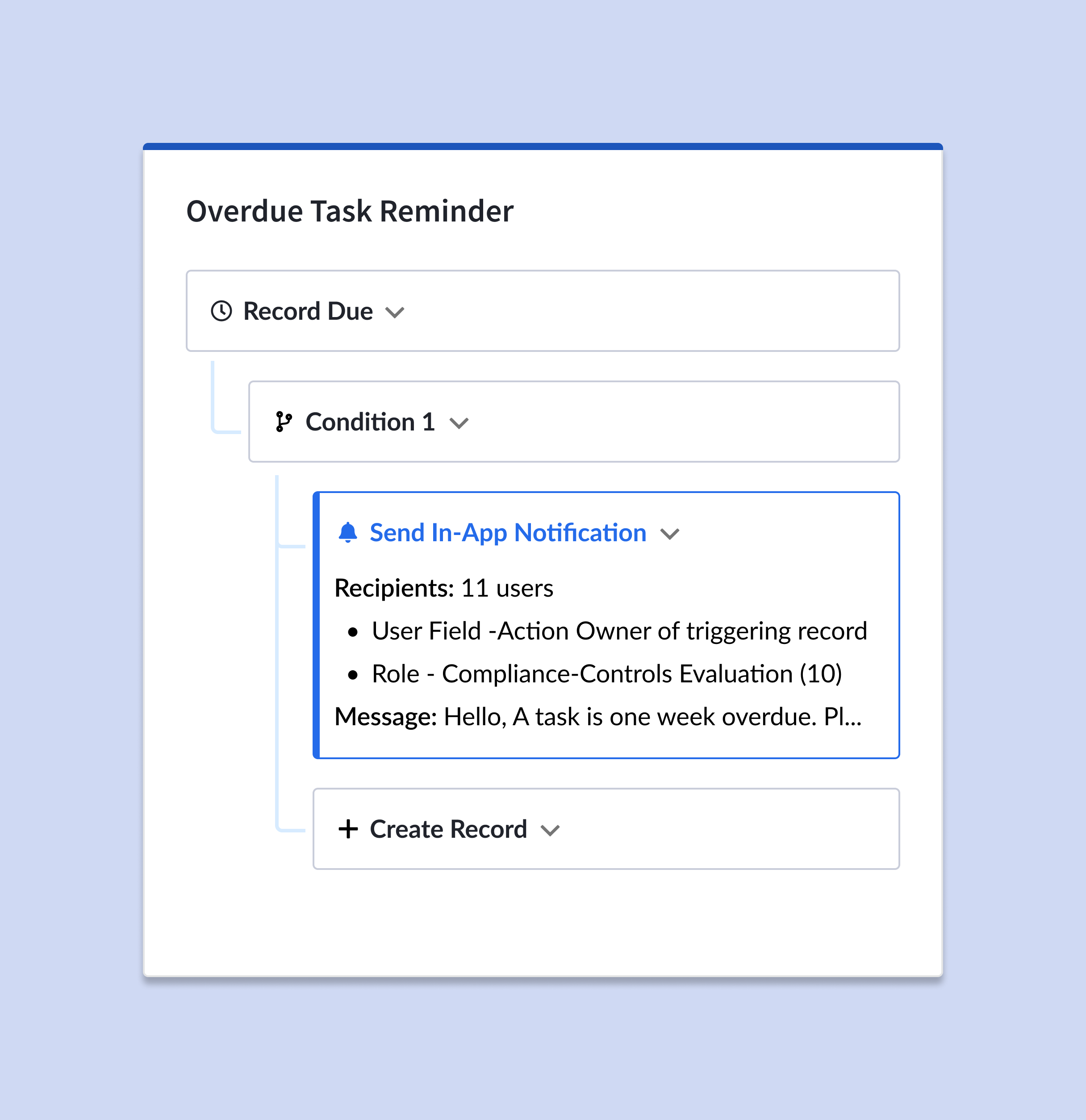
Power users created jobs that were highly complex and surpassed our own expectations of what we thought was possible, creating chain reactions and hacking our scheduling logic. The original creation flow was too simplistic and didn't match how our users were using the feature. Introducing the idea of a jobs overview and overhauling the creation process better matched our users' mental models and revealed the true potential behind automated jobs.